

Real-time Dynamics
Reporting Directly in Excel
Seamless integration with your ERP/EPM, realtime data feed & IT-free export features
Jet Reports brings real-time financial data from Dynamics GP, NAV, or D365 Business Central directly into Excel—no IT required.
Create refreshable reports using Excel skills you already have. Jet Reports understand Dynamics complex database relationships automatically. AI-powered assistants spot trends, answer questions instantly, and build reports using natural language queries.
Access live data with one click, drill down to transaction details, and automate report distribution through our cloud-based Reports Center. Perfect for SMB finance teams who need accurate reporting without the complexity.
Stop waiting for IT—get self-service reporting freedom today.

Build Power BI Dashboards Without Technical Skills
Connect in real-time to your GP, NAV, or D365 Business Central data and work directly in Excel without needing to learn new tools.
Jet Reports handles complex ERP table relationships automatically, so you use familiar formulas while we do the heavy lifting behind the scenes.
Build refreshable reports once, then get current data with one click.
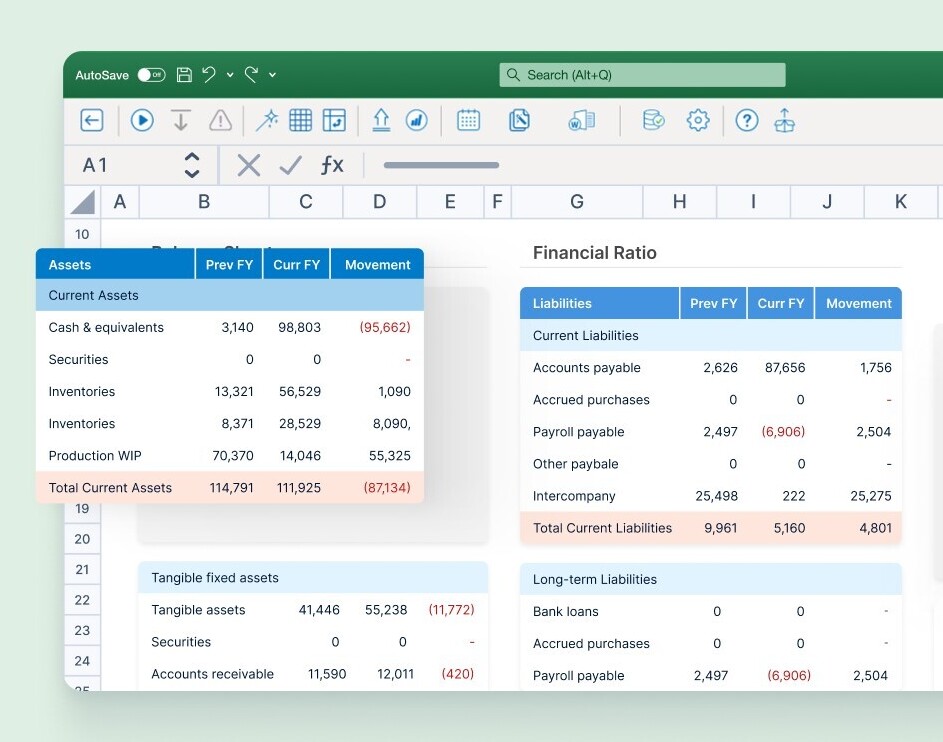
Stop Rebuilding the Same Reports Every Month
Build reports once, then refresh them instantly with current data.
AI-powered Data Assist spots trends and anomalies automatically, while Report Assist helps you create new reports in minutes.
Set up automated distribution through Reports Center so stakeholders get fresh data without lifting a finger.
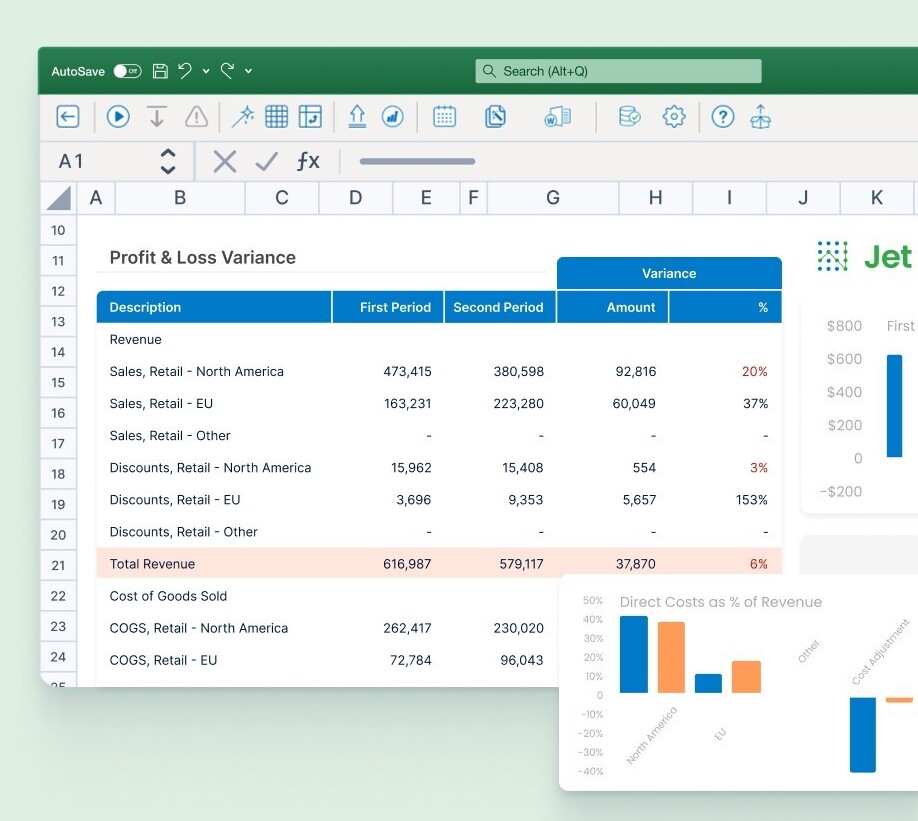
Create Reports Yourself Without Waiting for IT
Build and modify reports using Excel skills you already have.
No programming, no tickets, no waiting. AI-powered Report Assist helps you create new reports in minutes without technical expertise.
Drill down to transaction details instantly when something looks off, so you can respond to questions instead of playing phone tag with IT.
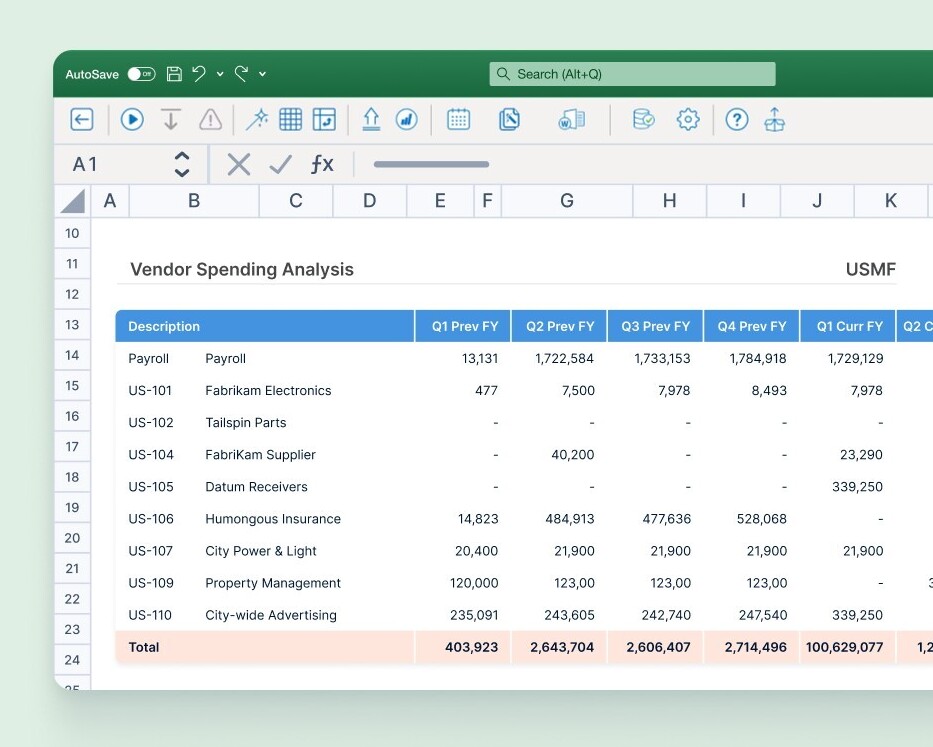
Build Power BI Dashboards Without Technical Skills
Your team knows the data better than anyone, but you shouldn’t need coding skills to visualise it.
Through Reports Center, create professional Power BI dashboards using your existing Business Central data without technical background or expensive consultants.
Build visualisations using familiar financial concepts, then view your dashboards natively in Reports Center to eliminate switching between systems.
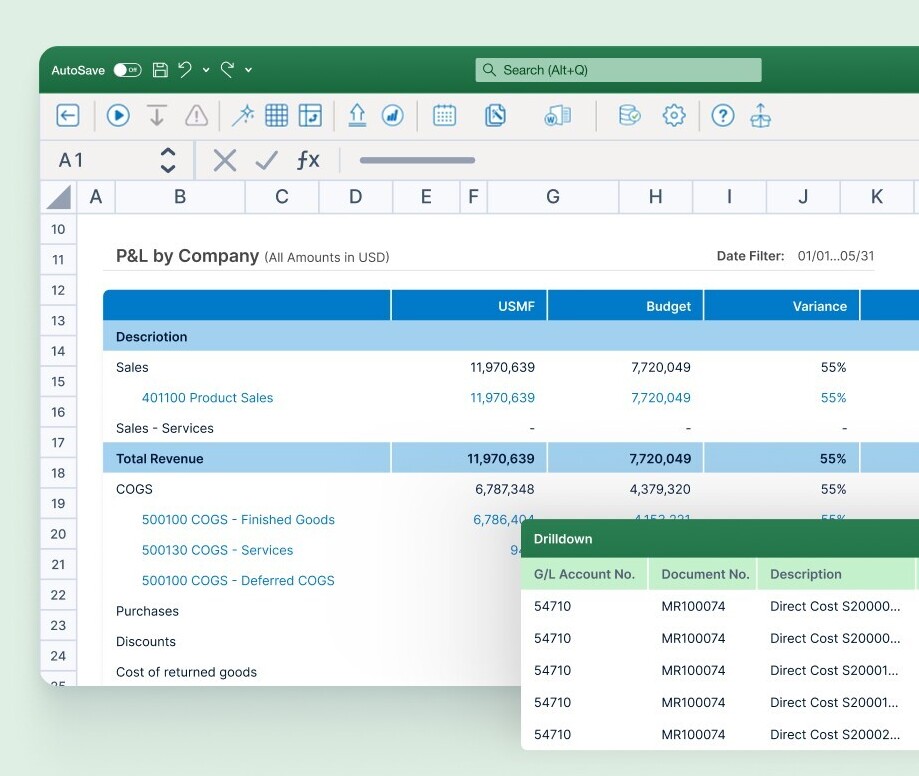
Easy Self-Service
Financial Reporting Inside of Excel and On the Web

Jet Reports Online - Cloud Financial Reporting
Jet Reports Online works effortlessly with both Excel Desktop and Excel Online, giving your finance team the flexibility to choose the tool that best fits their workflow.
From detailed reports to quick insights, work the way you prefer—without compromise.

SaaS Report Automation, Distribution, and Execution
Simplify your reporting with advanced cloud automation features such as scheduled report generation, automatic data updates, and seamless report distribution.
These tools save time while ensuring your reports are accurate, timely, and effortless to deliver.

Real-time Dynamics ERP data connection
Jet Reports live connection to Dynamics NAV/GP/D365 Business Central enables users to access and analyse data directly from these systems in real-time, ensuring users have access to the most current and accurate information for reporting and analysis.

Integrated AI Assistant – Lineos AI, from insightsoftware
With AI built right into Jet Reports, you can unlock the full potential of your data.
Data Assist, Report Assist, and Doc Assist AI capabilities help streamline your work, uncover meaningful insights, and make confident data-backed decisions.

Drill Down on Numbers Directly in Excel
Powerful drill-down capabilities enable users to explore and analyse data in greater detail, allowing users to click on specific data points, such as totals or subtotals, to access underlying data and view a breakdown of the numbers.

Drag & Drop Report Wizard
Easily build or amend reports by dragging and dropping elements such as data fields, filters, and calculations and eliminate the need for complex coding.
Quickly customise reports by rearranging elements, adding new data fields, or adjusting formatting.
Start Real-time Dynamics Reporting in Excel Today
Discover how Jet Reports by Insightsoftware can revolutionise your financial and business reporting. This video covers everything from installation to key features and benefits, ensuring you get the most out of this powerful Excel add-in.